You can easily register and start using the Convini app by following the steps below.
how to Get started
1. Download the Convini app
The Convini app is available for both iOS and Android and can be downloaded wherever apps are available.
2. Contact our customer service to get your identification code
Contact our customer service to get your identification code. Chat with us in the app or give us a call at 0200-333 535.
3. Select “More options”
4. Click on “Log in and register”
5. Enter the following details:
Card number (the six-digit code)
CVC code (three-digit code)
Mobile number
Personal details as prompted in the app
Once registration is complete, the app is ready to use for purchases in the store.
Do you need help?
We’re here! Whether it’s about the app, something about the Convini store at work, or just a question you’re wondering about. Our customer service is ready to help you quickly and easily.
Convini protects and respects your privacy. By submitting the form, you agree that we may store and process your personal data in accordance with our privacy policy.
Jura är ett varumärke som många kaffekonnässörer i Skandinavien har en god relation till, och det finns många anledningar till att kaffemaskiner från Jura ligger högt på önskelistan.
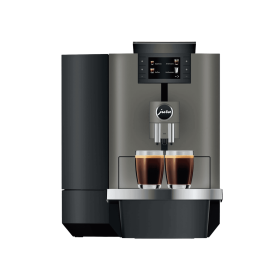
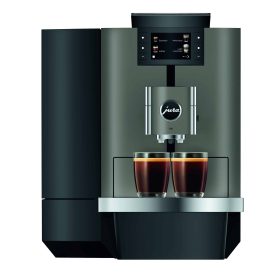
Jura X4 är den perfekta kaffemaskinen för mindre arbetsplatser där svart kaffe är högsta prioritet. Maskinen kan göra hela 13 olika sorters svart kaffe och har en vattenbehållare på 5 liter. Smaken är jämn och stabil tack vare att Jura X4 är utrustad med toppinnovationen PAG2-kvarnen, Professional Aroma Grinder 2.0, som ger ett perfekt malresultat på kaffebönorna.
Med sin egen app kan du enkelt hålla koll på när det är dags att fylla på kaffebönor eller tömma behållaren för kaffesump. Det här är den lilla maskinen för det lilla kontoret med höga krav på smak och kvalitet. Med Jura X4 får du en fulländad kaffeupplevelse – oavsett om det är espresso, lungo eller en vanlig kopp kaffe.
Jura is a brand with which many coffee connoisseurs in Scandinavia have a good relationship. And there are many reasons why Jura coffee machines are high on the wish list. A brand new reason is the Jura X10 which triumphs with its amazing speed. X10 delivers perfect coffee in record time. It is equipped with a silent ceramic grinder. No aroma is lost and both taste and aroma experience is optimal. A perfect cup of coffee! With its speed, the X10 is perfectly suited to modern businesses where the pace is equally fast. Important details and deciding factors in choosing a coffee machine.